An NFC tag is a small contactless chip that can store a limited amount of data and share it with a nearby compatible device, usually with a simple tap. NFC itself is a short-range wireless technology, and Android’s official documentation says these interactions typically happen at a distance of 4 cm or less. That short distance is one reason NFC feels quick, direct, and intentional compared with other wireless technologies.
What makes an NFC tag especially useful is that it is passive. The NFC Forum describes it as an unpowered microchip that can be embedded in labels, cards, posters, displays, or products. In practical terms, that means the tag usually does not need its own battery. Instead, it responds when an NFC-enabled phone or reader comes close enough to power the interaction.
This is why NFC tags have become important in retail, product packaging, smartphone automations, device setup, and smart physical experiences. A user can tap once and instantly open a web page, save a contact, launch a routine, pair a Bluetooth device, or access product information, depending on what has been written to the tag. The NFC Forum identifies common payloads such as web links, phone numbers, email data, contact details, Bluetooth pairing information, and Wi-Fi keys.
In simple words, an NFC tag turns a physical object into a digital trigger. A sticker on a desk can launch a work mode. A tag on packaging can open setup instructions. A tag on a product can connect the buyer to product details or authenticity information. That is why the technology matters far beyond just “tap to read.” It creates a bridge between the real world and digital actions.
What Is an NFC Tag?
An NFC tag is a contactless memory device that stores data in a structured format so another NFC-capable device can read it when brought close. The NFC Forum says NFC Forum Tags host a specially formatted payload called an NDEF record, based on the NFC Data Exchange Format standard. Android’s official NFC documentation also centers many NFC interactions around NDEF messages.
The tag itself is usually made up of a tiny chip and an antenna. That assembly can then be built into different shapes and materials such as stickers, cards, labels, key fobs, or packaging inserts. To the end user, it often just looks like a small smart label or invisible embedded point that responds to a tap. The NFC Forum’s branding materials specifically describe tags being embedded in product labels, retail displays, smart posters, shelf signs, and advertisements.
A key point is that an NFC tag is usually not a high-capacity storage device. It is meant for small, useful payloads that trigger fast actions. That is why NFC is excellent for things like links, commands, pairing instructions, IDs, and compact bits of data, but not for storing large videos, full documents, or other heavy content directly on the tag. Android’s documentation describes NFC as being designed for small payloads of data, which matches how tags are used in the real world.
How an NFC Tag Works
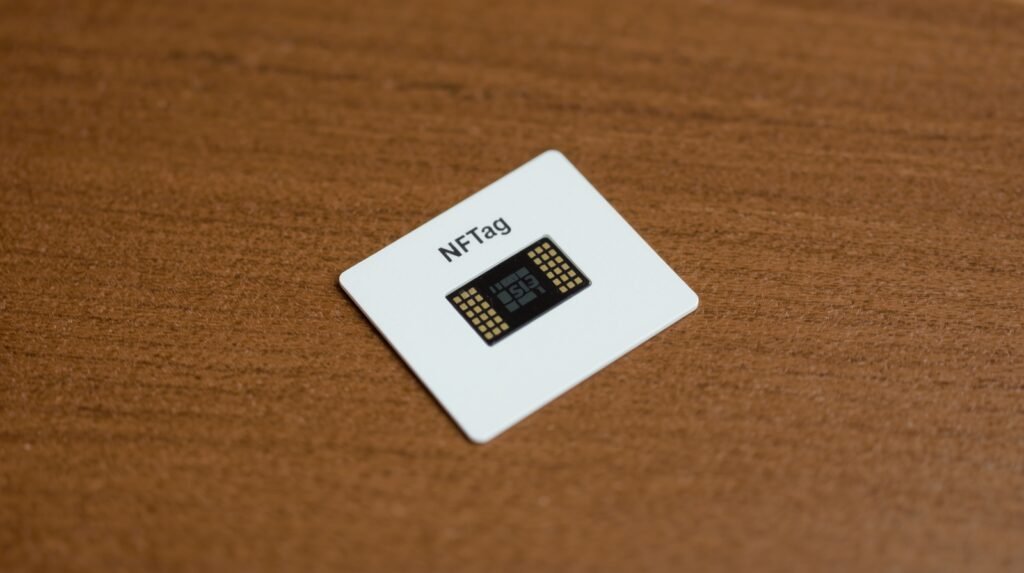
The way an NFC tag works is simple once you strip away the technical wording. A compatible phone or NFC reader creates a small electromagnetic field. When the tag comes close enough, that field powers the tag momentarily and allows its stored data to be read. Because this happens at very short range, the experience feels like a deliberate tap rather than a broad wireless scan.
The most common operating model for phone-to-tag use is reader / writer mode. Android’s official NFC overview says Android devices with NFC support can read and write passive NFC tags and stickers in this mode. That means a phone can act both as a reader of existing tags and, with the right app and permissions, as a writer that stores data onto writable tags.
Once a tag is detected, the phone checks the data on it and decides what to do. If the tag contains a URL, the phone may offer to open it. If it contains contact information, it may allow the user to save it. If it contains automation-related data, a suitable app may process that command. Android describes this through its tag dispatch behavior, while Apple’s Core NFC documentation says apps can detect NFC tags, read NDEF messages, and save data to writable tags.
NFC Tag Types and Standards
The NFC ecosystem is not one single tag design. The NFC Forum says it has defined five different NFC Forum Tag types to support different capacities, sizes, cost targets, and implementation needs while keeping user interaction broadly consistent. That means two NFC tags may feel similar when tapped, even if their underlying technical characteristics differ.
The main standard that matters most for everyday usage is NDEF, the NFC Data Exchange Format. The NFC Forum describes NDEF as the common data format for NFC Forum-compliant devices and tags. In practice, this is why many NFC apps and operating systems can understand common payloads like website links, contact records, or text entries without needing custom decoding for every tag.
There are also more advanced protocols around NFC tags and devices. For example, the NFC Forum’s Tag NDEF Exchange Protocol specification supports bi-directional NDEF message exchange for certain tag types and is aimed at more interactive device workflows. The Forum gives examples such as configuring smart-home devices and other IoT products. That shows NFC tags are no longer limited to simple one-way sticker experiences.
What Data Can an NFC Tag Store?
An NFC tag can store different kinds of compact data depending on the tag’s memory and the intended use. The NFC Forum lists common payloads such as internet links, phone numbers, short messages, email information, contact data, addresses, Bluetooth pairing information, and Wi-Fi keys. These are exactly the kinds of small but useful pieces of information that benefit from quick tap-based access.
The important thing is not only what the tag stores, but what the phone does with it. A stored URL can open a web page. A stored phone number can start a call. A stored address can open navigation. Bluetooth pairing information can help connect to an accessory, and Wi-Fi credentials can help join a network more easily. The NFC Forum specifically highlights these action-based uses in its public technology materials.
Some tags are writable, while others may be locked to read-only. Android’s API reference for Ndef notes that NFC Forum tags can exist in either read-only or read-write states and provides a way to determine whether a tag is writable. That matters for practical use because some scenarios involve reusable programmable tags, while others involve tags that should never be altered after deployment.
Common Uses of NFC Tag Technology
One of the strongest reasons the NFC tag keyword matters is that the technology is useful in many industries at once. It is not limited to one niche. The same core idea can support marketing, packaging, device onboarding, access to information, and personal automations.
Retail and Product Packaging
NFC tags can be embedded in product labels, displays, or packaging so users can tap and instantly get more information. The NFC Forum’s branding guidance specifically mentions product labels, retail displays, smart posters, and shelf signs as common NFC touchpoints. This allows brands to connect physical products to instructions, offers, product details, support pages, or authenticity workflows.
Smart Posters and Marketing
NFC tags work well in posters and printed media because they remove friction. Instead of scanning a code or typing a URL, the user taps once. That small convenience can matter a lot in advertising or public information. NFC Forum materials explicitly include smart posters and advertisements as standard NFC tag use cases.
Device Setup and Pairing
The NFC Forum identifies Bluetooth pairing information and Wi-Fi keys as standard examples of tag payloads. This is why NFC has been used in accessories and setup flows: the user taps a phone to a tag and the device can begin a connection or onboarding process without manual typing.
Smartphone Automation
Android’s NFC documentation and the NFC Forum’s materials make clear that reader/writer interactions can support automation-like use cases. In practical terms, people often use NFC tags to launch routines such as switching settings, opening specific apps, or starting task-based shortcuts when they tap a tag in a certain place.
IoT and Smart Devices
The NFC Forum’s TNEP specification materials point to IoT use cases such as configuring smart meters, thermostatic valves, and smart-home lighting devices. This is an important sign that NFC tags are evolving from simple static carriers into part of richer device interaction flows.
Digital Product Passports
The NFC Forum has been actively discussing NFC’s role in Digital Product Passports and says tags can help connect products to online lifecycle data or even store some relevant data directly. This gives NFC tags a growing role in sustainability, traceability, and product identity systems.
NFC Tag and Smartphone Compatibility
For most users, the practical question is whether their phone supports NFC tags. On Android, Google says NFC-enabled Android devices support reader/writer mode for passive tags, and Android’s NFC stack is designed around reading and handling NDEF-based messages. Android also notes that devices are typically looking for NFC tags when unlocked, unless NFC has been disabled.
On Apple platforms, Core NFC is the relevant framework. Apple’s official documentation says apps can detect NFC tags, read messages that contain NDEF data, and save data to writable tags. Apple also provides an NFCNDEFTag interface specifically for interacting with NDEF tags.
So the short answer is yes: many modern Android phones and iPhones can work with NFC tags. The exact experience can vary based on device model, operating system version, app support, and the kind of data written to the tag, but mainstream smartphone support is one of the main reasons NFC tags remain useful and practical today.
Benefits of NFC Tags
The biggest benefit of an NFC tag is convenience. The user does not need to pair manually, type a long address, or navigate through menus. A simple tap can launch the intended action. The NFC Forum emphasizes fast startup and short connection time as part of NFC’s core value.
Another major benefit is that tags are passive. Because they are unpowered microchips, they can be embedded in physical objects without ongoing battery maintenance. That makes them practical for packaging, posters, cards, labels, and many low-maintenance deployments.
NFC tags also support very intentional interaction. Because the range is short, the user typically knows exactly what they are tapping. This can make the experience feel more deliberate and controlled than long-range wireless discovery. Android’s 4 cm guidance reflects how tightly scoped NFC interaction normally is.
A final benefit is flexibility. The same tag concept can support marketing, setup, access to information, smart device flows, and consumer product experiences. That wide range of uses is why NFC remains relevant even as other wireless technologies continue evolving.
Limitations of NFC Tags
Despite their usefulness, NFC tags have clear limits. The first is range. NFC is designed for very close interaction. Android says the typical operating distance is around 4 cm or less, which means it is not a replacement for technologies meant for room-scale or long-distance communication.
The second limit is payload size. NFC is ideal for small data, not large file transfers. That is why most good NFC experiences use the tag as a trigger or pointer rather than a storage container for heavy content. Android’s documentation is very clear that NFC is suited to small payloads.
Another limitation is ecosystem variation. While Android and Apple both support NFC tag interaction, behavior can still depend on device support, app permissions, the exact record format, and whether the tag is writable or locked. This does not make NFC unreliable, but it does mean tag deployment works best when it is planned around common standards like NDEF.
How to Use an NFC Tag Effectively
Using an NFC tag usually involves three steps: write the desired data to the tag, place the tag where it makes sense physically, and make sure the target device can interpret the payload properly. For compatibility, NDEF is usually the safest format because it is the standard format the NFC Forum defines for compliant devices and tags.
Placement matters a lot. A tag on a product box should be in an obvious place. A tag for automation should be placed where the action naturally happens, like a desk, car mount, or bedside table. The NFC Forum’s N-Mark system exists specifically to show users where to tap, which highlights how important physical UX is in NFC design.
It is also important to decide whether the tag should remain writable. Some use cases benefit from reusable programmable tags. Others should be locked once written so the content cannot be changed accidentally or maliciously. Android’s API documentation explicitly distinguishes writable versus read-only states for NFC Forum tags.
The Future of NFC Tags
NFC tag technology is still evolving. In June 2025, the NFC Forum announced Release 15, saying it would extend the range of certified compliant NFC contactless connections up to 2 cm, compared with the previous 0.5 cm baseline for compliant interactions. The Forum said this is meant to make connections faster and more reliable while still keeping user intent central.
The Forum has also pointed to future work around security and authenticated data exchange, including integrating authentication-related work into NFC protocols for stronger secure communication. That matters because NFC tags are increasingly being discussed not only as convenience tools, but also as trusted data carriers for products and IoT systems.
This means the NFC tag is no longer just a smart sticker. It is gradually becoming part of a broader infrastructure for product identity, connected devices, and trusted short-range interaction.
Final Thoughts
An NFC tag is a small but powerful contactless tool that can store structured data and trigger useful actions with a simple tap. Official materials from the NFC Forum, Android, and Apple all point to the same core idea: short-range, fast, intentional interactions built around compact payloads and smooth user experience.
That is why NFC tags continue to matter. They are passive, practical, easy to embed into physical objects, and flexible enough for retail, packaging, automation, setup, IoT, and product-data use cases. As NFC standards continue advancing and product identity workflows expand, NFC tags are becoming even more relevant rather than less.
FAQs About NFC Tag
What is an NFC tag?
An NFC tag is a passive contactless memory device that stores a small data payload, usually in NDEF format, so an NFC-enabled device can read it with a tap.
Does an NFC tag need a battery?
No. The NFC Forum describes NFC tags as unpowered microchips that are activated by the nearby reader’s field.
What can an NFC tag store?
Common examples include website links, phone numbers, contact data, Bluetooth pairing information, Wi-Fi keys, and other small structured records.
Can Android phones read NFC tags?
Yes. Android officially supports reader/writer mode for passive NFC tags and stickers on NFC-capable devices.
Can iPhones read NFC tags?
Yes. Apple’s Core NFC documentation says apps can detect NFC tags, read NDEF data, and save data to writable tags on supported devices.
How close do you need to be to an NFC tag?
Android says NFC interactions typically require about 4 cm or less.
Leave a Reply